
New photo
Set the date, time and location before taking the shot. Add a project name, work note or logo to the watermark.
Set up your watermark → Rapixa
ANDROID CAMERA · CUSTOM DATE, TIME & LOCATION
Rapixa is an Android GPS timestamp camera that lets you change the date, time and location in your watermark. Take photos and videos with project notes or your logo, or add a watermark to files already on your phone.
Android · Google Play
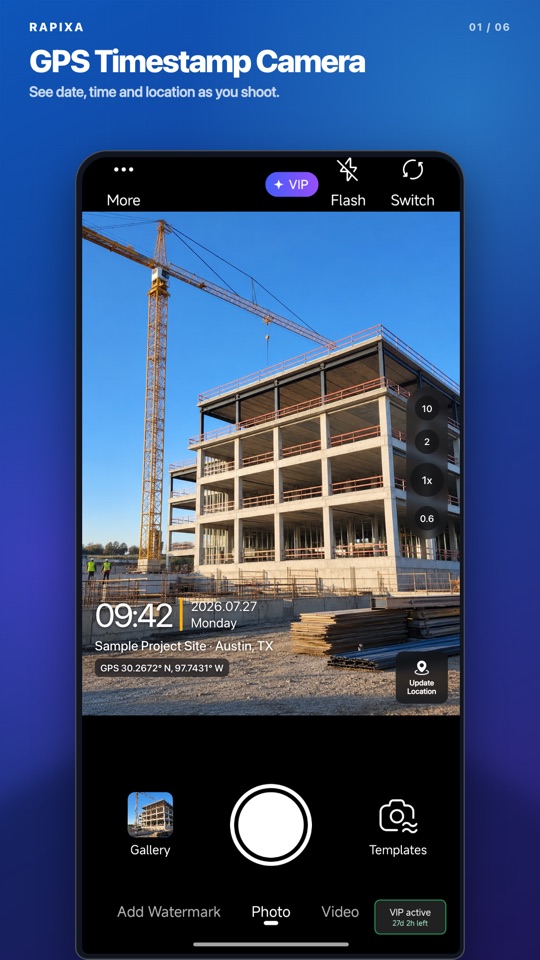
Set the date, time and location before taking the shot. Add a project name, work note or logo to the watermark.
Set up your watermark →Open the original photo, add the details you need and save a separate watermarked copy.
Stamp an existing photo →Preview the watermark, then record in Rapixa. Recordings can be up to 30 minutes long.
Import a supported video up to 30 minutes long, add your watermark and export a new video. You can keep the original.
Watermark a saved video →01 · Product in action
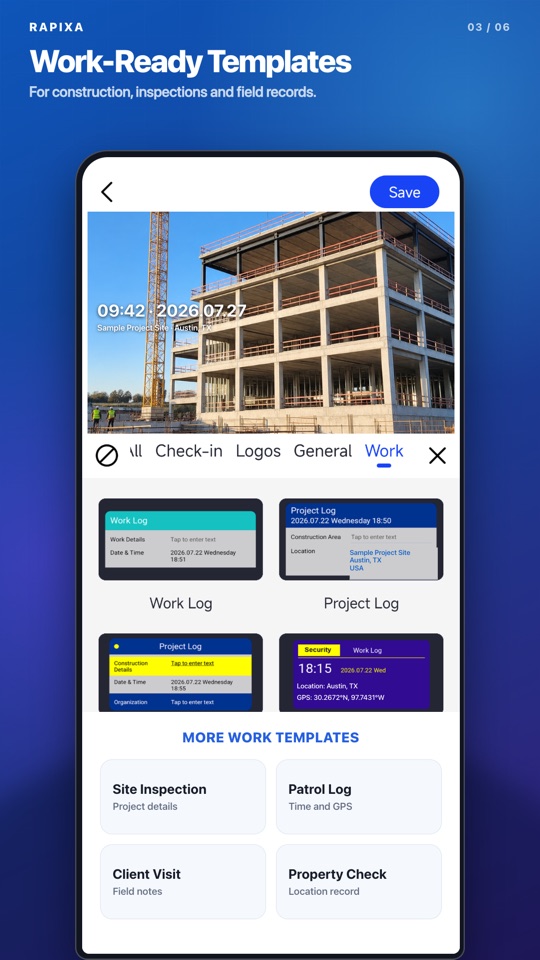
Use the localized camera, work templates and watermark editor shown below. What you preview is what Rapixa saves.
02 · How to
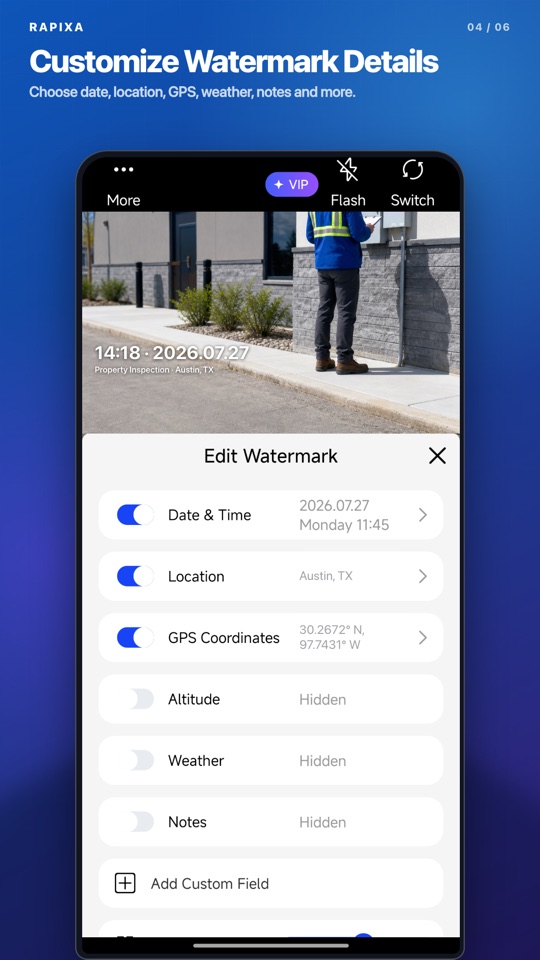
Choose a watermark, change the fields and check the preview before taking a photo or saving an existing file.
Check the date, address and notes in the preview. Imported photos and videos are saved as new watermarked copies, so you can keep the originals.
03 · Field workflows
Add project names, locations and notes to construction photos, inspections and travel records.
Choose a work template and add the project, area and notes before capturing the scene.
Import existing files, add time, location or a logo, and save a new watermarked copy.
Use Capture & Stitch to combine multiple shots into one image for a clear progress report.
Choose a watermark template, open its settings and set the date, time and location you want to show. Add a project note or logo if needed, check the preview, then take a photo. To stamp an existing picture, open it from your gallery and save a new watermarked copy.
Yes. Open a photo from your gallery, choose a date and time watermark, then change the date, time or location as needed. Preview it and save a new copy. You can also add a project name, note or logo.
Yes. Select a supported local video, add the information you want to show, preview the watermark and export a new video. You can also record a watermarked video in Rapixa. Imported videos must be no longer than 30 minutes and use a format your device supports. For a longer video, use a video editor to trim the section you need before importing it into Rapixa.
Yes. Add your logo and a project name or work note to the watermark. Adjust its size and position so the details remain readable without covering the work in the photo.
The camera and watermark workflow has no ads. Check the app for free usage limits, optional paid plans and the features included in each plan.
Rapixa is published by 上海瞬启无界科技有限公司 (Shunqi Wujie). Download the Android app through its official Google Play listing. Rapixa, Jisu Watermark Camera and Qingyin are separate products from the same company, with their own download pages and feature sets.
Rapixa is available on Google Play for Android. Use the official download link on this page to check availability for your device and region. The camera and watermark workflow has no ads.
The app supports 13 interface languages, including English, Simplified Chinese, Filipino and Hindi.
Download Rapixa from its official Google Play page. Available for Android devices and regions with access to Google Play.